 Fillfolio | Portfolio & Net Worth Tracker

Fillfolio
About
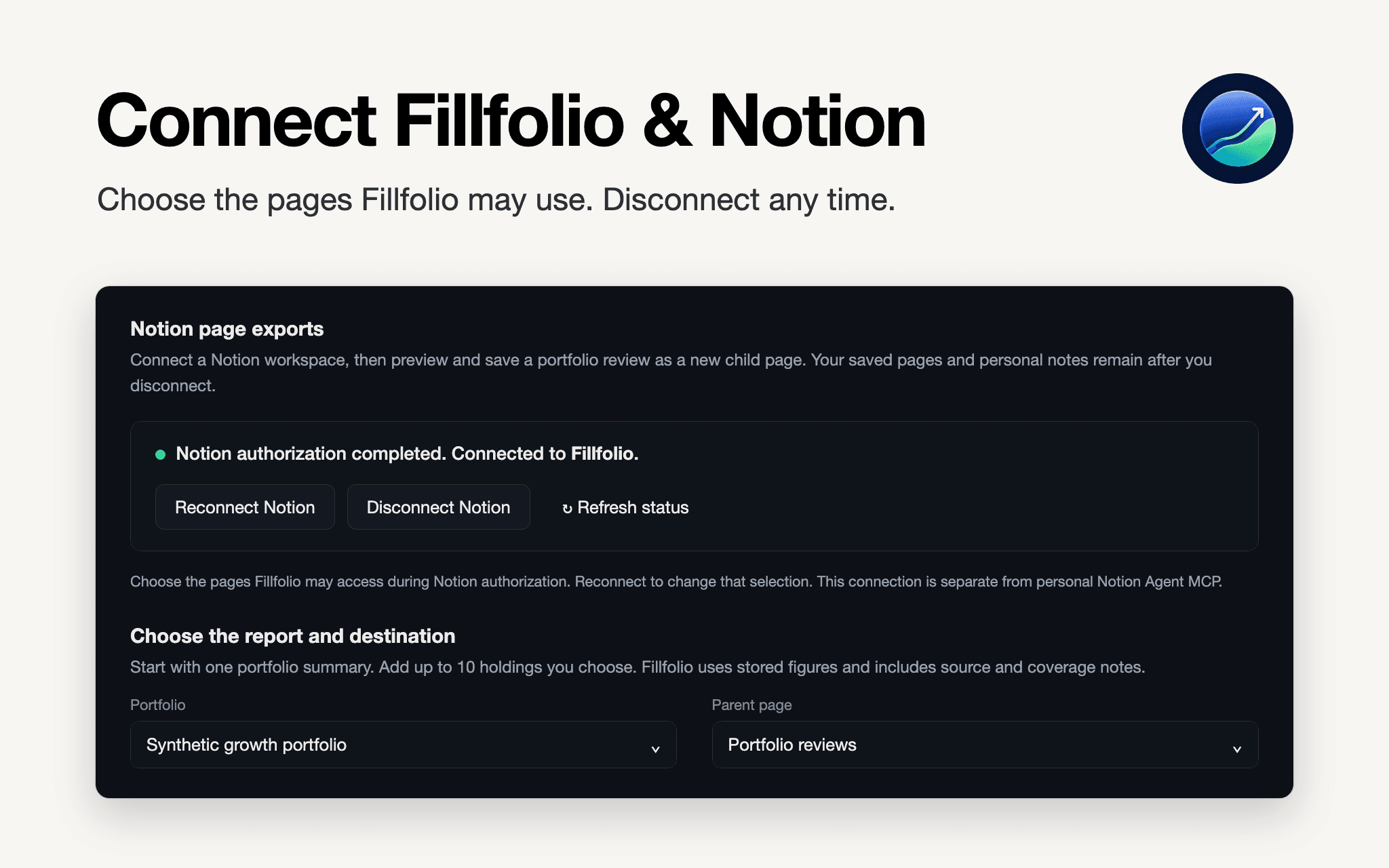
Save a dated copy of your Fillfolio portfolio review in Notion. Choose a portfolio, select a parent page, and review the complete report before you save it. Add details for up to ten holdings you select, or keep the report to a portfolio summary.
Each review includes stored portfolio figures, report currency, retrieval time, and available coverage warnings. Empty personal-notes and follow-up sections give you space to add your own observations in Notion. Fillfolio creates a new child page for each approved review and leaves earlier snapshots and your notes unchanged.
Use an eligible paid Fillfolio plan and a Notion account. This direct connection uses the Notion API; it does not need Notion AI. The separate personal-Agent MCP connection has its own setup and requirements.
During authorization, choose the Notion pages Fillfolio may access, including their child pages. Fillfolio requests Read content to find and check destinations and confirm uncertain save results. It requests Insert content to create review pages. Check the parent page's Share settings and teamspace access before saving: people with access may see the report.
Reviews use the data already stored in Fillfolio. They do not refresh financial providers, create transactions, calculate historical period returns, or add AI analysis. The retrieval time does not indicate when a market quote last changed. Read the coverage warnings with the figures.
Disconnect in Fillfolio's connected-app settings. You can also reach the disconnect control from Billing after a subscription ends. Saved reports remain in Notion after disconnecting.
Features
- Read & insert contentCan read & insert pages, databases, and blocks shared with this connection.
How to use
1. Sign in to Fillfolio with an eligible paid plan and open Exports & integrations → Notion.
2. Choose Connect Notion. Complete the fresh sign-in check if prompted. In Notion, choose the pages Fillfolio may access and approve the connection.
3. Select one Fillfolio portfolio. Include its summary and, if useful, select up to ten holdings.
4. Choose an authorized parent page. Refresh the search or paste a Notion page link to validate a destination. Check the page's Share settings and teamspace access.
5. Choose Preview exact report. Review the figures, coverage warnings, workspace, parent page, and new page title.
6. Confirm that you checked sharing, choose Save new child page, then Open saved review to view the dated copy in Notion and add your own notes.
Each approved export creates a new child page. Disconnecting stops future access and leaves saved pages in Notion. See https://fillfolio.com/notion for setup, permissions, and troubleshooting.
Details

- Finance